Online help (ToneMaker)
The archive file is compressed in zip format.
Please make a suitable folder, and place all files in the folder you created with the same folder structure.
File organization
| ToneMaker.exe | "ToneMaker" Application file. |
|---|
Please delete each folder where the application exists.
File
| New | Clears the tone setting being created so that a new tone setting can be made. |
|---|---|
| Open | Load the previously created tone settings file. |
| Save | The tone setting being created is overwritten and saved in the loaded file. |
| Save As | Save the tone setting you are creating by specifying a file name. |
| Exit | Exit the application. |
Help
| Help Topics | Open the online help page. |
|---|---|
| Choose Language |
Select the display language of the application as "English" or "Japanese". |
| About ToneMaker |
Displays application version information.
|
| To Keep Using ... |
Enter the license key. |
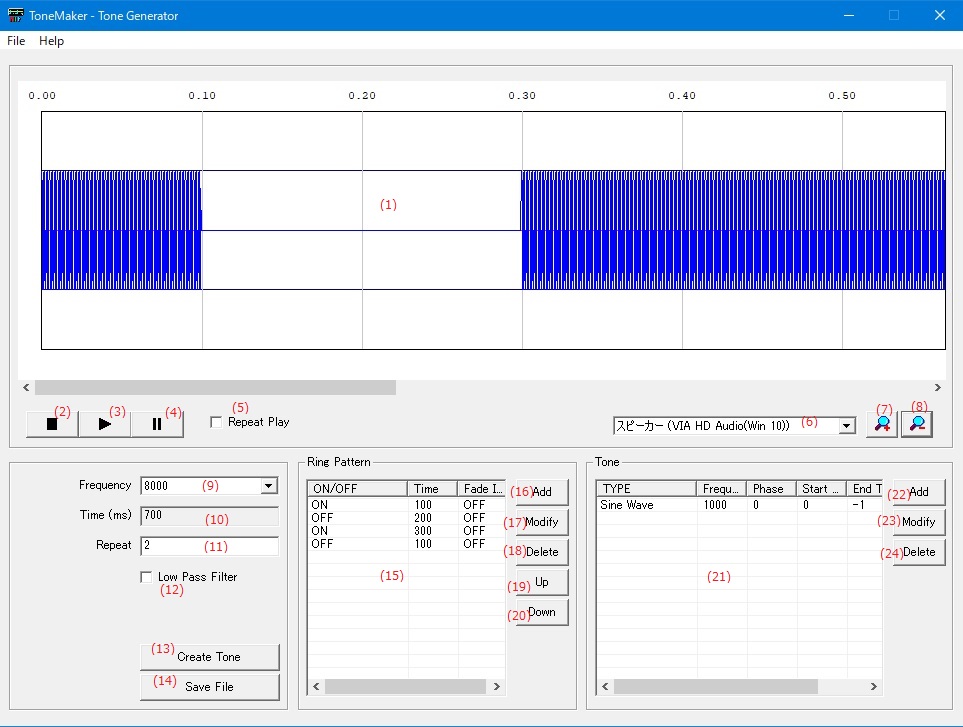
| (1) | Tone waveform window | The created tone data is displayed as a waveform. |
| (2) | [Stop]Button | Stops the tone ringing during playback. |
| (3) | [Play]Button | Play the created tone. |
| (4) | [Pause]Button |
Pauses the tone ringing during playback. Press the Play button to resume. |
| (5) | Repeat Play | Plays the tone repeatedly until the Stop button is pressed. |
| (6) | Speaker selection | Set the speaker for tone playback. |
| (7) | [Enlarges]Button | Enlarges the waveform display of tone data (decreases the time axis). |
| (8) | [Reduces]Button | Reduces the waveform display of tone data (larger time axis). |
Audio Setting
| (9) | Frequency | Specifies the sampling frequency of the tones to play. |
| (10) | Time(ms) |
Displays the time of one cycle of the tone to be created. It is the total time of the "Ring Pattern". |
| (11) | Repeat |
Specify the number of times to repeat the "Ring Pattern". Specify a value of 1 or greater. |
| (12) | Low Pass Filter | Apply a low-pass filter that is 1/2 the sampling frequency to the tone data to be created. |
| (13) | [Create Tone]Button |
Generates tone data with the set contents. If you do not press the [Create Tone] button, the settings will not be reflected in the tone. |
| (14) | [Save File]Button | Opens a dialog for saving the created tone as audio data to a file. |
Ring Pattern
| (15) | Ring Pattern List |
The tone ON time / OFF time settings are listed in order.
|
||||||
| (16) | [Add]Button | Opens a dialog for adding a new ringing pattern. | ||||||
| (17) | [Modify]Button | Opens a dialog for editing the item selected in the ringing pattern list. | ||||||
| (18) | [Delete]Button | Deletes the selected item in the ringing pattern list. | ||||||
| (19) | [Up]Button | Moves the selected item in the ringing pattern list to the top of the list. | ||||||
| (20) | [Down]Button | Moves the selected item in the ringing pattern list down one level in the list. |
Tone
| (21) | Tone List |
Sets the frequency of the tone.
|
||||||||||||
| (22) | [Add]Button | Opens a dialog for adding new tone data. | ||||||||||||
| (23) | [Modify]Button | Opens a dialog for editing the selected item in the tone list. | ||||||||||||
| (24) | [Delete]Button | Deletes the selected item in the tone list. |
Set the time to play the generated tone sound source.
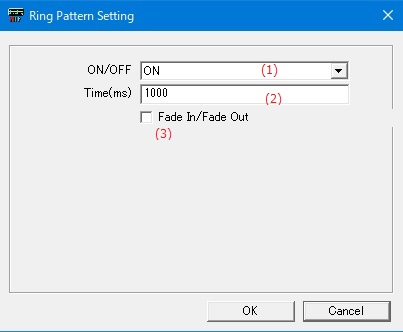
| (1) | ON/OFF |
|
||||||||
| (2) | Time(ms) | Specify the ON or OFF time in (ms) units. | ||||||||
| (3) | Fade In/Fade Out |
When the ringing pattern is "ON", fade processing is performed at the start and end of the ringing. The fade-in / fade-out time is 0.25% of the ringing time. |
Set the tone sound source to be generated.
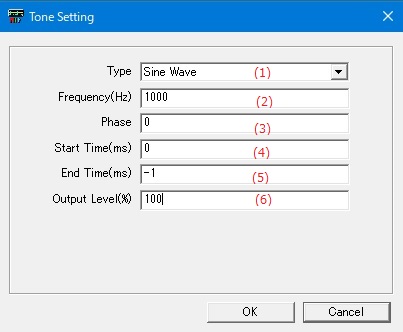
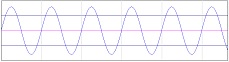
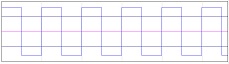
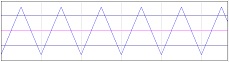
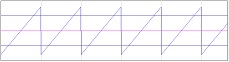
| (1) | Type |
|
||||||||
| (2) | Frequency(Hz) | Specify the frequency of the waveform data to be generated. | ||||||||
| (3) | Phase | Specify the phase of the waveform data to be generated between 0 and 360. | ||||||||
| (4) | Start Time(ms) | Specify the time to start outputting the generated waveform data in (ms) units. | ||||||||
| (5) | End Time(ms) |
Specify the time to stop the output of the generated waveform data in (ms) units. If -1 is specified, the output will continue without stopping. |
||||||||
| (6) | Output Level(%) | Specify the height of the waveform of the generated waveform data between 0 and 100 (%). |
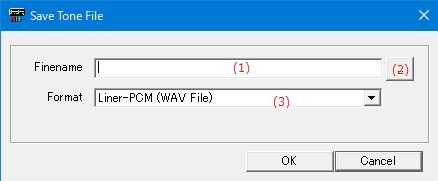
| (1) | Filename | Specify the file name to save the generated tone sound source. | ||||||
| (2) | [File Select]Button | Select the file name to save the generated tone sound source from the existing files. | ||||||
| (3) | Format |
|
Set the display language of the application.
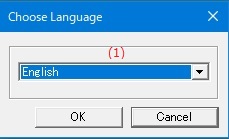
| (1) | Choose Language |
Select the display language of the application from the following languages.
|
Enter the application license key.
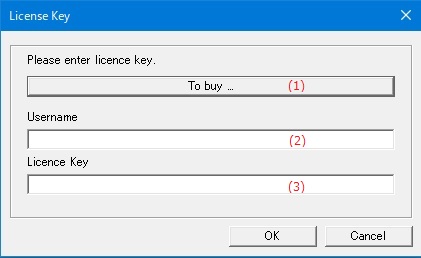
| (1) | "To Buy ..." button | Displays the homepage where you can purchase the license key. |
| (2) | Username | Enter the user name to register the license. |
| (3) | Licence key | Enter the license key you purchased. |